The AI Tutor just learned how to show, not just tell.
Two changes that turn the tutor from a chat surface into something closer to a real human teacher: inline curated videos when explanation alone isn't enough, and inline scored check-ins so the tutor can react to which question the student missed — not just that they missed one.
What changes for the student
The tutor can pull short curated videos in line with the chat.
When the tutor decides a short video would clarify a concept better than another paragraph of text, it queries a hand-vetted channel allowlist (Khan Academy, TED-Ed, CrashCourse, MIT OpenCourseWare, Kurzgesagt, and your org's custom additions). The video embeds inline in the same chat surface — no opening new tabs, no leaving the lesson.
Especially powerful in English-medium classrooms: when a Vietnamese Grade-7 student types "em không hiểu" on photosynthesis, the tutor can show an English explainer that doubles as language input — content + language exposure in a single moment.
Status note: the full integration shipped today (HMAC-signed cross-service call, curated allowlist, postMessage round-trip). The YouTube Data API search filters are still being tuned — for some queries the search returns 0 results even when the curated channels demonstrably cover the topic. Tracking the search-tuning fix; the tutor falls back gracefully to text + diagram when the search returns empty, so students aren't blocked.
The tutor can quick-check understanding, then react to the specific wrong answer.
Mid-conversation, the tutor can drop a 2-3 question check-in inline. The student answers right inside the chat. The tutor sees not just the score, but which question they missed and what they answered instead — and reacts to that specific misconception rather than re-teaching the whole topic.
This is the difference between an AI chatbot that shows a quiz and an AI tutor that scaffolds based on what the student got wrong.
What changes for the teacher
Quizzes you've already generated in the Quiz Maker can now be referenced by your AI Tutors — they become check-in points the tutor can launch mid-lesson. No new authoring step; existing quizzes get a second life as scoring signal for adaptive scaffolding.
A "Publish for tutor embedding" workflow is rolling out as the immediate follow-up so you can opt-in per quiz. Until then, contact support if you want specific quizzes wired into a tutor.
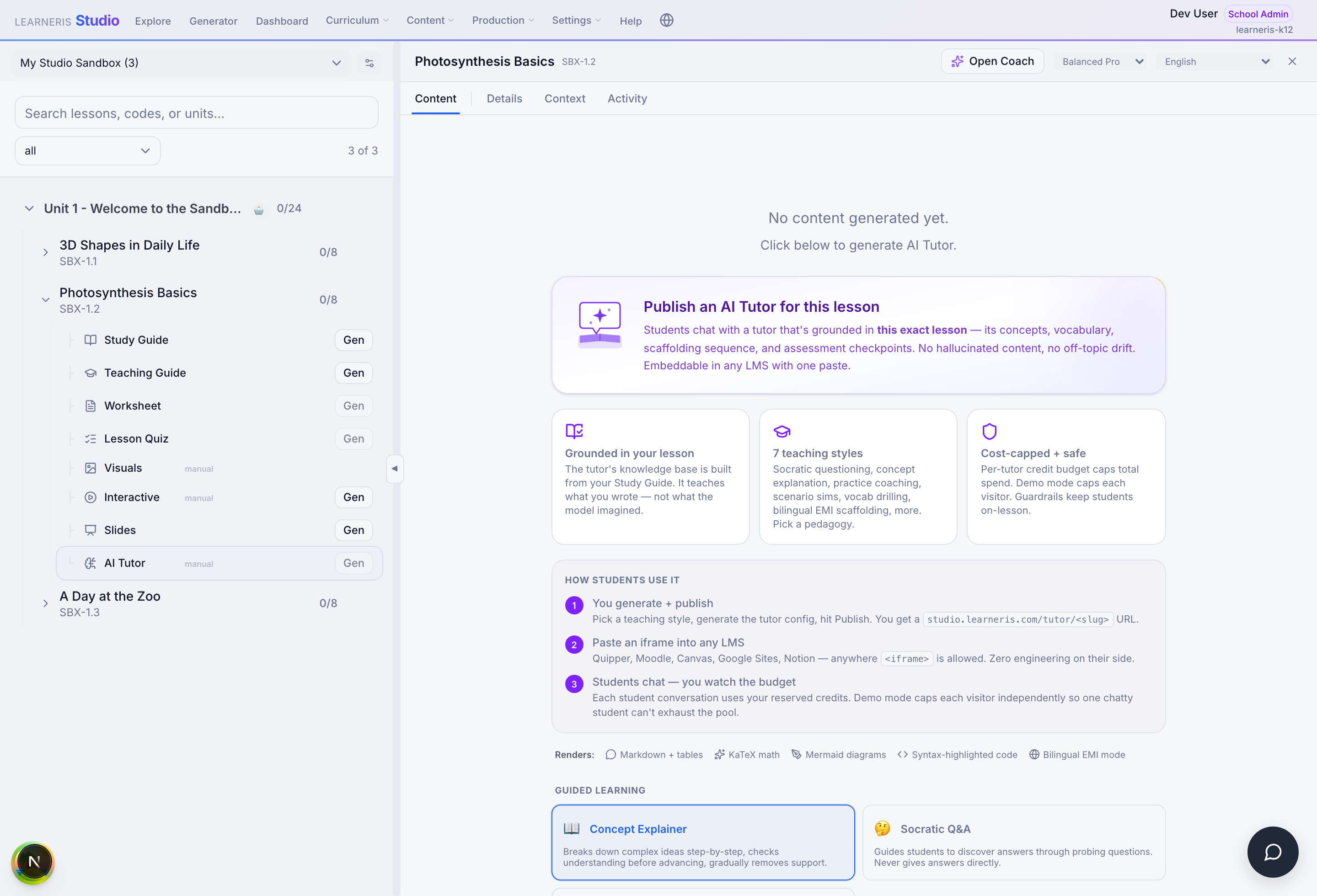
youtube_search tool and the YouTube + quiz markdown directives by default — no teacher-side action needed beyond the usual publish flow. (This screenshot pre-dates today's deploy, so the visual UI here is unchanged; the change is in what the published tutor can do.)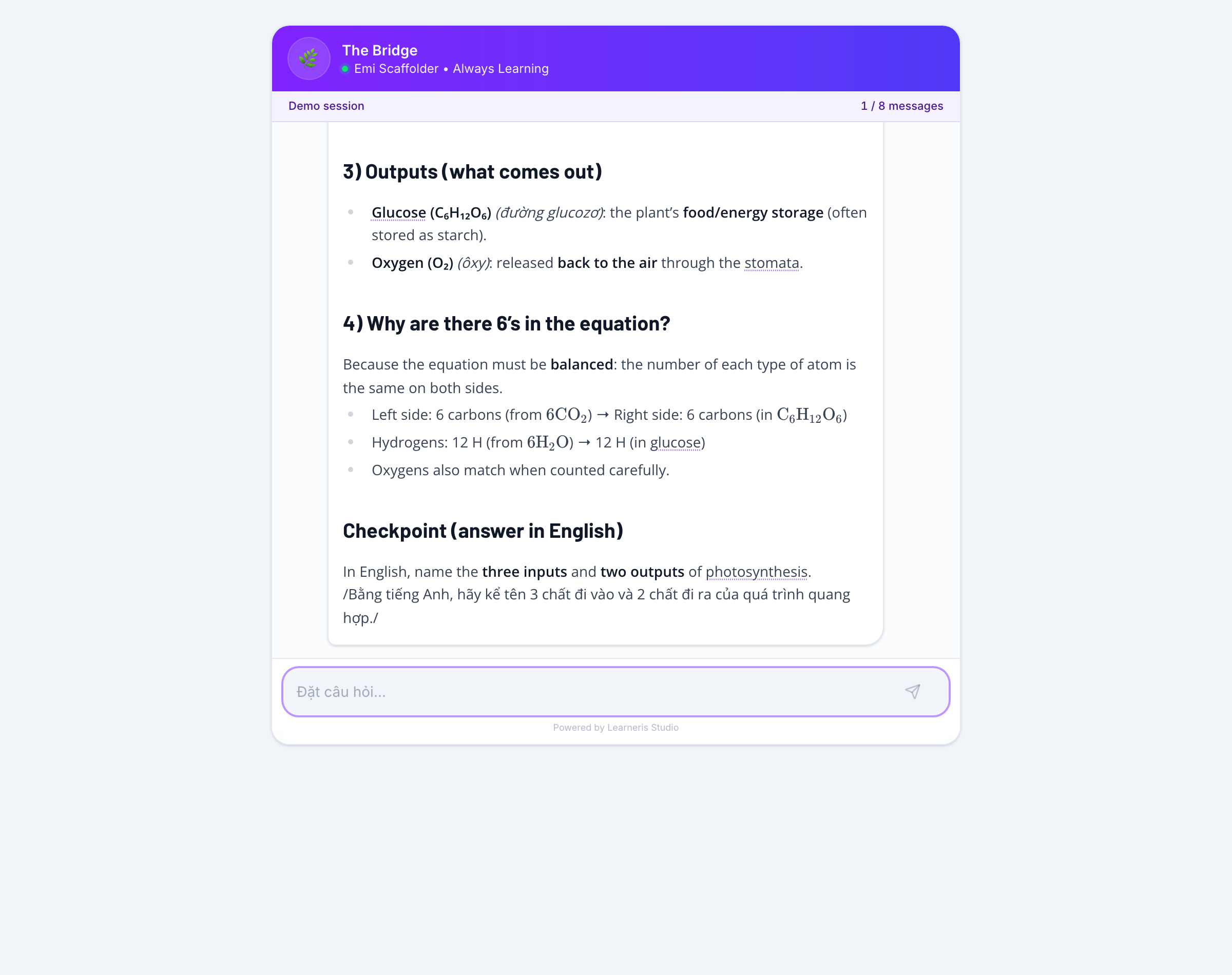
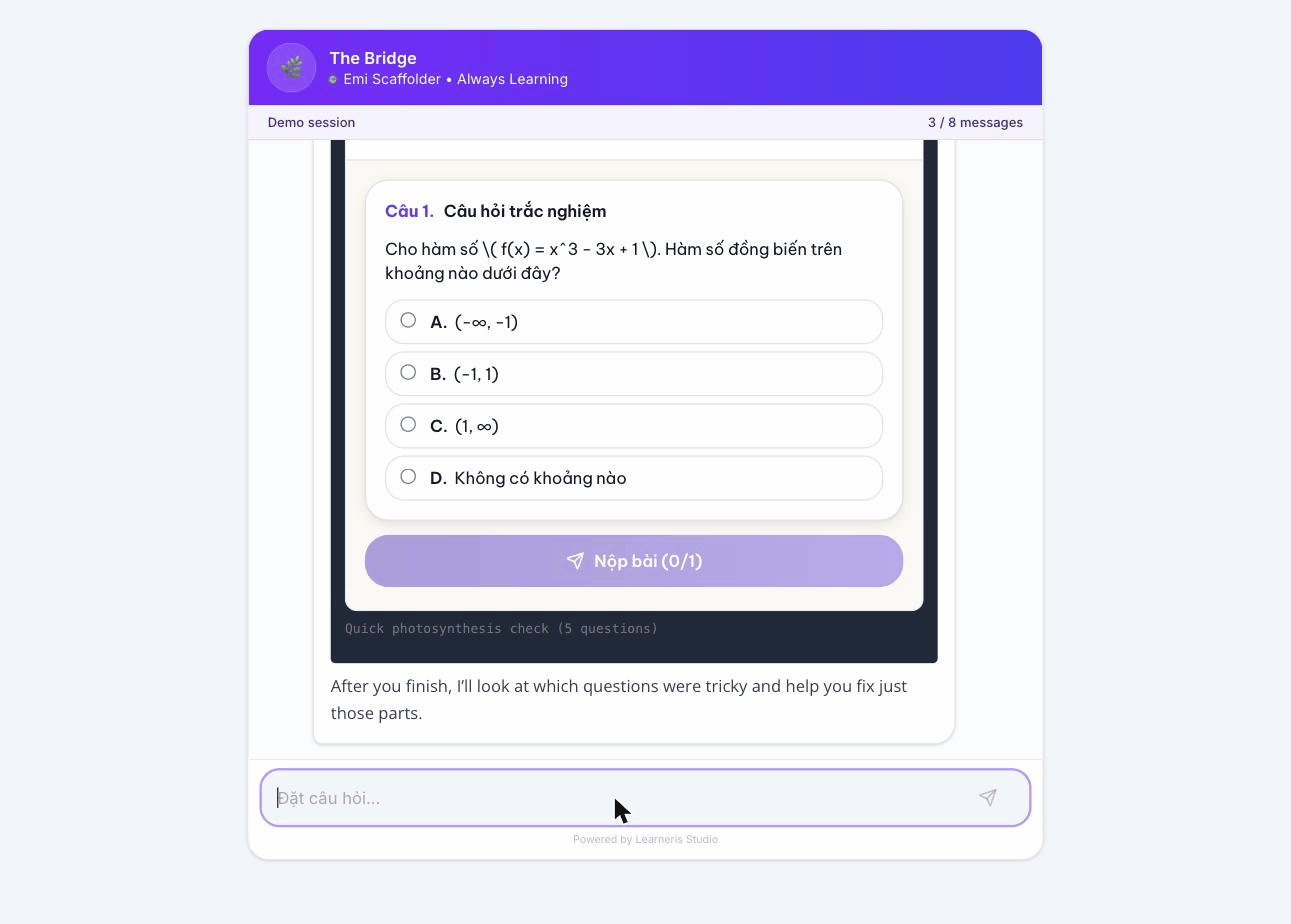
```quiz``` directive, the renderer mounted the player iframe at aiapp.learneris.com/app-gen-quiz-v4/play/[id]?embed=true, and the quiz rendered inline with full A/B/C/D interaction + submit. The tutor's preview text below the iframe — "After you finish, I'll look at which questions were tricky and help you fix just those parts" — is the scaffolding hand-off: on submit, the player posts a structured learneris:quiz-result event back to the chat (score + per-question correctness + time spent), and the tutor's next turn reacts to which specific questions tripped the student up. The quiz pictured is math (the demo tutor's available-quiz library is currently a small set used for plumbing tests); when the teacher's own quiz library is wired in, the LLM picks the most relevant one for the current conversation.Try it now
The fastest way to see the change: open a sandbox tutor on Studio and ask a science or math question that's easier to show than tell ("show me how parallel circuits work", "I don't understand quadratic equations"). The tutor should consider pulling a curated video; ask a follow-up like "can you check what I've learned?" to surface a quick quiz.
Behind the scenes (for the technically curious)
The mechanism is platform-level, not a one-off:
- The AI Tutor's tool surface gained a
youtube_searchtool that calls into Learneris's curated channel allowlist. The tool only returns videos from teacher-vetted channels — the LLM cannot invent video IDs. - The Tutor's renderer learned two new markdown directives,
youtubeandquiz, which mount the inline embed components. - When a student submits a quiz, the player posts a structured result event back to the chat: per-question correctness, the student's selected answer, the correct answer, and time spent on each question. The tutor's next turn sees this and reacts.
- All cross-service calls are HMAC-signed per the platform federation pattern (no shared cookies, no bearer tokens on the wire, 60-second replay window).
The full architectural amendment is documented in ADR 0003 (canonical-string evolution for slice 5).
What's coming next
- Teacher quiz-publish workflow: a one-button "Add this quiz to tutor library" action so quizzes flip to tutor-embeddable without DB-level intervention.
- Per-org channel allowlist admin UI: schools can curate their own approved YouTube channels (the infrastructure is shipped; the admin surface is the next iteration).
- COMPASS adaptive engine consumes the scored signal: the per-question correctness + timing data the tutor now collects feeds the adaptive primitives that will personalize learning paths across sessions.